
Product data quality and issue detection
Product data quality is one of the most important parts of a successful WooCommerce and Google Merchant Center workflow.

A product may look complete on the storefront while still containing missing, outdated or inconsistent information behind the scenes. These issues may not always be obvious to the store owner, especially when the catalogue contains hundreds or thousands of products.
PW Merchant helps make these conditions more visible.
The plugin reviews relevant WooCommerce product information and helps users understand which products appear ready, which products require attention and which products contain more serious problems.
This process is not limited to finding technical errors. It also helps store owners improve the overall quality, consistency and usability of their product catalogue.
What is product data quality?
Product data quality refers to the accuracy, completeness, consistency and usefulness of the information attached to a product.
For a WooCommerce store, product data may include:
- Product title
- Product description
- Regular price
- Sale price
- Stock status
- Product availability
- Main product image
- Additional product images
- Product page URL
- Brand information
- GTIN, MPN or other product identifiers
- Category information
- Variation attributes
- Variation prices
- Variation stock levels
- Shipping-related information
High-quality product data is accurate, current and consistent across the store.
Low-quality product data may contain missing fields, conflicting values, outdated information or incomplete descriptions.
PW Merchant helps store owners review these areas from a Merchant-oriented perspective.
Why product data quality matters for Google Merchant Center
Google Merchant Center depends on clear and reliable product information.
When product data is incomplete or inconsistent, products may generate warnings, require additional review or fail to be processed as expected.

For example, if the product page shows one price while the submitted information contains another price, this can create a mismatch.
If a product is shown as available in one system but appears out of stock on the website, the information may be considered inconsistent.
If a required product identifier is missing, the product may not be evaluated correctly for its category.
These problems can make Merchant management more difficult and increase the amount of manual work required from the store owner.
Reliable Merchant management begins with accurate and well-maintained WooCommerce product data.
PW Merchant helps users identify possible weaknesses before they become part of a larger product operation.
Early issue detection before product operations
Finding a problem before products are processed is usually easier than discovering it after a large operation has completed.
Without an early review system, a store owner may send a large product group and then receive many warnings or failed results.
Correcting these products afterwards may require repeated operations and additional time.
PW Merchant supports an early detection approach.

The catalogue can be reviewed first. Products can be separated according to their condition. Critical issues can be corrected before the next Merchant operation begins.
This process can reduce unnecessary repetitions and help users work more efficiently.
An early review may help identify:
- Products without images
- Products with incomplete descriptions
- Products without valid prices
- Products with missing stock information
- Products with invalid or inaccessible links
- Products without relevant brand information
- Products with missing identifiers
- Products with incomplete variation data
Missing product images
Product images are one of the most visible and important parts of an e-commerce catalogue.
A product without a suitable image creates an incomplete customer experience and may also affect Merchant processing.
PW Merchant helps users identify products that do not contain a main product image or appear to have an incomplete image structure.
This allows the store owner to return to the WooCommerce product and add or improve the relevant image.
Image-related issues may include:
- No main product image
- An inaccessible image URL
- A very low-quality image
- An image that does not represent the product clearly
- An image replaced or removed after the product was created
- Variation products without suitable variation images
PW Merchant can help make obvious image problems visible, but it cannot guarantee that every image will be accepted by Google.
External platforms may evaluate image quality, content, accessibility and policy compliance according to their own systems.

Price accuracy and consistency
Price information is one of the most sensitive areas in product data management.
The price used in Merchant operations should match the price visible on the WooCommerce product page.
Differences can occur for several reasons.
A product may have a sale price that has expired. A variation may have a different price from the parent product. A currency conversion process may not have completed. A custom pricing plugin may alter the storefront value without updating the standard WooCommerce fields.
PW Merchant helps users review available price information and identify products where attention may be required.
Common price-related issues may include:
- Missing regular price
- Invalid sale price
- Sale price higher than regular price
- Variation without a price
- Inconsistent parent and variation prices
- Outdated currency conversion
- Different visible and stored prices
When a price problem is detected, the relevant WooCommerce product fields should be reviewed and corrected.
PW Merchant does not create correct pricing automatically when the store data itself is inaccurate.
Stock and availability checks
Stock information changes frequently in active e-commerce stores.
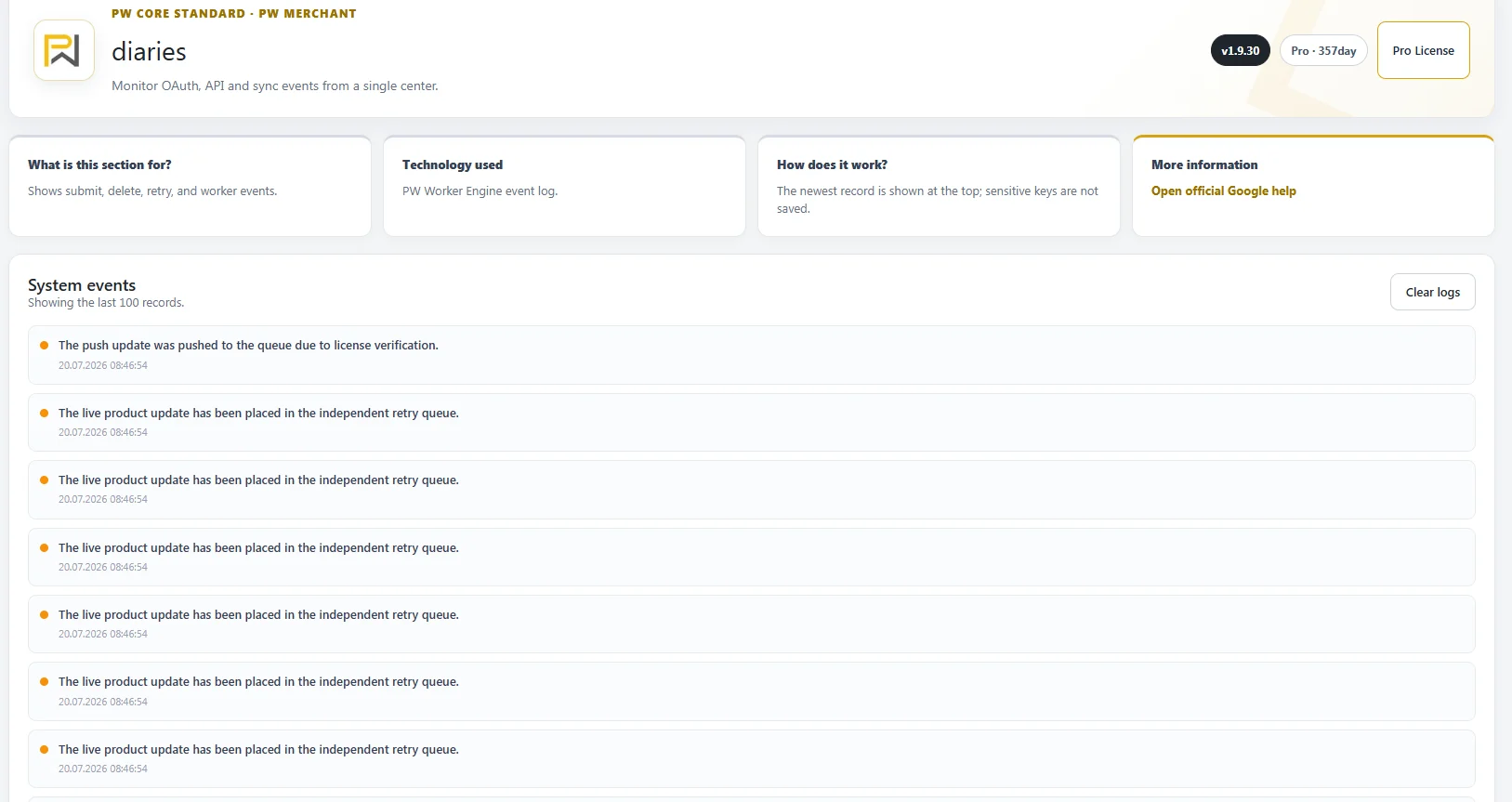
A product may sell out, return to stock, become available for backorder or be removed from sale.
These changes must be reflected accurately in the product data.
PW Merchant helps store owners review the available stock and availability information before or during Merchant operations.
Possible issues may include:
- Product marked in stock without available quantity
- Product shown out of stock while still publicly available
- Variation stock status not matching the parent product
- Backorder settings not clearly maintained
- Discontinued products remaining active
- Stock data not updated after an external import
Accurate stock information supports a more reliable relationship between the WooCommerce store and Merchant data.
Price and availability information should remain consistent with what customers can see and purchase on the website.
Product title quality
Product titles should describe the item clearly and accurately.
A title that is too short, vague or filled with unnecessary promotional language may reduce clarity.
A useful title normally helps the customer and external systems understand what the product is.
Depending on the product type, a title may include relevant information such as:

- Brand
- Product name
- Model
- Colour
- Size
- Material
- Important variation information
PW Merchant can help users notice products with missing or potentially incomplete titles.
The final title structure remains the responsibility of the store owner.
Product description quality
A product description should explain what the product is, what it offers and which important characteristics the customer should know.
Descriptions that are empty, extremely short or copied without useful detail may reduce product data quality.
PW Merchant helps make missing or incomplete descriptions easier to identify.
A strong product description may include:
- Main product purpose
- Important features
- Dimensions or technical specifications
- Material information
- Usage details
- Compatibility information
- Package contents
- Care or maintenance instructions
The goal is not to fill the description with unnecessary keywords.
Product information should remain natural, accurate and useful to the customer.
Brand information
Brand information is important for many product categories.

A missing or inconsistent brand value can make it more difficult to identify the product correctly.
PW Merchant helps users review whether relevant products contain suitable brand information.
Possible brand-related issues may include:
- Brand field left empty
- Different brand names used for the same manufacturer
- Brand written incorrectly
- Supplier name used instead of the actual brand
- Variation data not matching the parent product
Consistent brand naming helps create a cleaner WooCommerce catalogue and a more reliable Merchant workflow.
GTIN, MPN and product identifiers
Product identifiers help distinguish one product from another.
Depending on the product category and manufacturer, relevant identifiers may include GTIN, EAN, UPC, ISBN, MPN or another recognised value.
Not every product has the same identifier requirements.
Custom-made products, handmade items or certain private-label products may require a different approach.
PW Merchant helps users see when identifier information may be missing or incomplete.
Common problems may include:

- Missing GTIN
- Incorrect identifier format
- Same identifier used for different products
- MPN field left empty
- Variation identifiers not entered separately
- Identifier copied incorrectly from a supplier
Store owners should use genuine and accurate identifiers.
Random or invented identifier values should not be added simply to fill a field.
Product page accessibility
The product page must be accessible to customers and external systems.
A valid product record may still create problems if the page returns an error, redirects incorrectly or is not publicly visible.
PW Merchant helps users identify possible product link issues where relevant.
Possible accessibility problems may include:
- Broken product URL
- Product saved as draft
- Password-protected product page
- Incorrect redirect
- Deleted product still included in a previous operation
- Temporary server error
- Page blocked by security rules
The product page should display clear price, stock and product information.
Accessibility problems may need to be corrected in WordPress, WooCommerce, the active theme, security settings or server configuration.
Category and product type consistency
Product categories help organise the WooCommerce store and provide useful context.
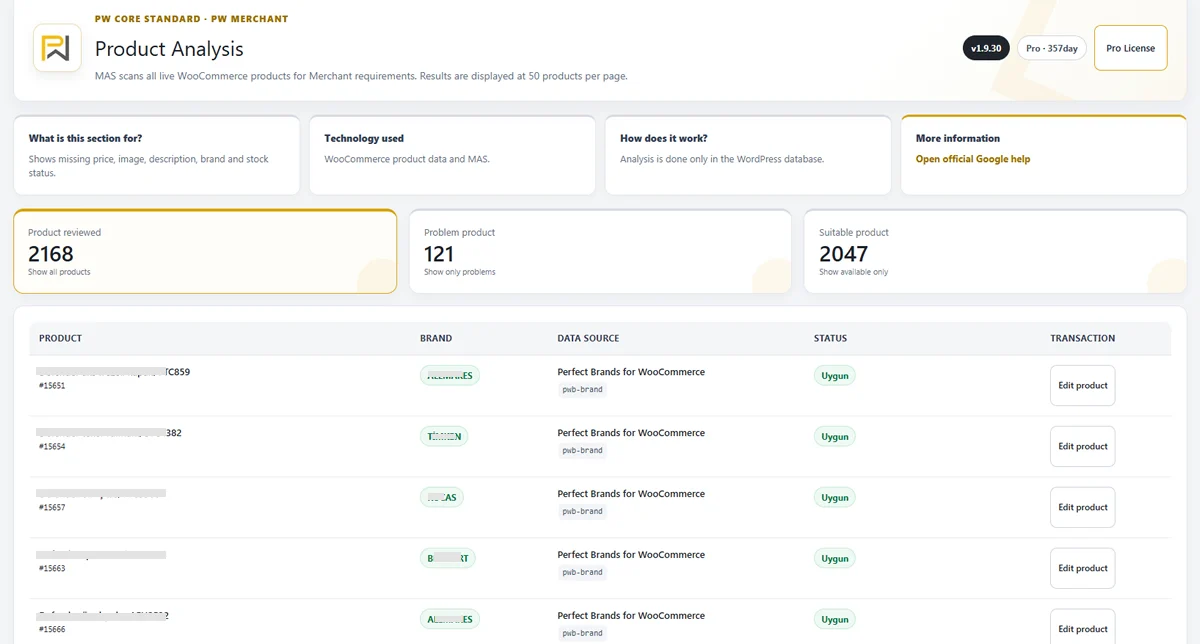
Incorrect or overly broad categories may reduce the quality of the catalogue.
PW Merchant can help store owners review whether products are organised consistently.
Category-related issues may include:
- Product assigned to no useful category
- Product assigned to an unrelated category
- Different category structure used for similar products
- Imported products assigned to a general default category
- Variation products missing relevant attributes
A clear category structure improves both store management and external product interpretation.
Variable product data checks
Variable products require more detailed review than simple products.
A single parent product may contain several variations with different prices, stock levels, colours, sizes, images and identifiers.
PW Merchant is developed to consider the complexity of variable WooCommerce products.
Possible variation issues may include:
- Variation without a price
- Variation without stock information
- Missing variation image
- Missing size or colour attribute
- Duplicate variation identifier
- Variation marked active but unavailable
- Parent and variation data not matching
Each relevant variation should contain accurate and current information.
A complete parent product does not automatically mean that every variation is complete.

Suitable products
A suitable product generally contains the essential information expected for the intended PW Merchant operation.
This status helps the user identify products that appear better prepared than products with visible warnings or critical problems.
Suitable status does not guarantee approval by Google Merchant Center.
Google may still evaluate the product according to account settings, business policies, regional requirements and external review systems.
PW Merchant uses suitable status as an internal management indicator.
Problematic products
A problematic product contains a condition that should be reviewed.
The issue may be incomplete, inconsistent or potentially unsuitable information.
Problematic products are not always completely unusable.
However, reviewing them before the next Merchant operation can reduce repeated warnings and improve catalogue quality.
After the relevant WooCommerce data is corrected, the product can be reviewed again.
Critical products
A critical product contains a more serious issue that may prevent meaningful processing or require immediate correction.
Examples may include missing essential data, invalid product access, unavailable pricing or another major condition.
Critical products should normally be reviewed before other groups.
This prioritisation helps store owners use their time more effectively.
PW Merchant helps users move from random catalogue checking to a clear order of priority: critical, problematic and suitable.
Issue prioritisation for large catalogues
Large catalogues create a different management challenge.
A store with several thousand products cannot review every product manually with the same level of attention.
PW Merchant helps prioritise the catalogue according to detected conditions.
This allows users to:
- Start with critical products
- Group similar issues
- Correct repeated data problems
- Review specific categories
- Process suitable products separately
- Schedule large corrections and operations
This structured approach can save time and reduce confusion.
Clearer issue explanations
Technical error messages are often difficult to understand.
Store owners need practical information, not only codes or general failure notices.
PW Merchant aims to present available issue details in a clearer way.
Where possible, the user should be able to understand:
- Which product is affected
- Which field should be checked
- Whether the issue is a warning or critical problem
- Whether the product should be corrected
- Whether the operation should be repeated
Some external responses depend on Google Merchant Center settings or policies and cannot be resolved directly inside WordPress.
However, clearer information can help the user identify the correct next step.
Correcting issues in WooCommerce
PW Merchant helps identify possible problems, but the actual product information should normally be corrected in WooCommerce.
This principle protects consistency.
The product page, store database and Merchant-related information should not become separate and conflicting records.
A typical correction process may include:
- Open the affected WooCommerce product
- Review the identified field
- Correct the missing or inaccurate information
- Save or update the product
- Run the PW Merchant review again
- Confirm whether the issue has been resolved
This cycle can be repeated whenever catalogue data changes.
Reducing repeated manual work
Without a structured review system, store owners may repeatedly open products, compare information and search for missing fields.
PW Merchant helps centralise this process.
The plugin does not remove the need for accurate product management, but it helps users focus their attention where it is most useful.
This can reduce time spent on random manual checks and repeated Merchant operations.
Regular product data reviews
Product data quality changes over time.
New products are added. Prices change. Stock levels are updated. Images are replaced. Variations are created or removed.
For this reason, catalogue review should not be treated as a one-time task.
PW Merchant can support a recurring review process.
Regular reviews are especially useful for stores that:
- Add products frequently
- Update prices regularly
- Use external stock systems
- Manage many variations
- Import supplier data
- Have multiple catalogue managers
A recurring workflow helps detect new issues earlier.
What PW Merchant does not guarantee
PW Merchant is a product management and Merchant workflow tool.
It does not control Google Merchant Center decisions.
The plugin does not guarantee:
- Approval of every product
- Removal of every warning
- Merchant account approval
- Advertising performance
- Website traffic growth
- Increased sales
- Acceptance of inaccurate data
- Protection from policy violations
Google evaluates products and accounts according to its own policies, automated systems and review processes.
The store owner remains responsible for accurate product information, business details, shipping, returns, website accessibility and legal compliance.
PW Merchant provides visibility and management tools to support these responsibilities.
Developed from active e-commerce experience
PW Merchant is developed from direct and active e-commerce experience.
We currently own and operate three established e-commerce websites.
This means we manage real products, stock, prices, customers, payments, shipping, returns, advertising and daily store operations.
Because we experience these processes directly, we understand that product data problems are not only technical issues.
They can affect customer trust, staff workload, advertising operations and the overall efficiency of the business.
This practical experience helps us develop PW Merchant from both a software and store-management perspective.
PW Merchant is designed around the product data challenges faced by real WooCommerce businesses.
A more reliable product data workflow
PW Merchant helps WooCommerce store owners create a more reliable product data workflow.
The process can be summarised as:
- Review the catalogue
- Identify missing or inconsistent information
- Separate suitable, problematic and critical products
- Correct issues in WooCommerce
- Review corrected products again
- Continue with supported Merchant operations
- Monitor results and repeat when necessary
This structured approach helps users improve catalogue quality, reduce repeated work and manage Merchant processes with greater confidence.
PW Merchant does not replace correct product management.
It provides the visibility, classification and workflow tools required to make product data quality easier to understand and control.